
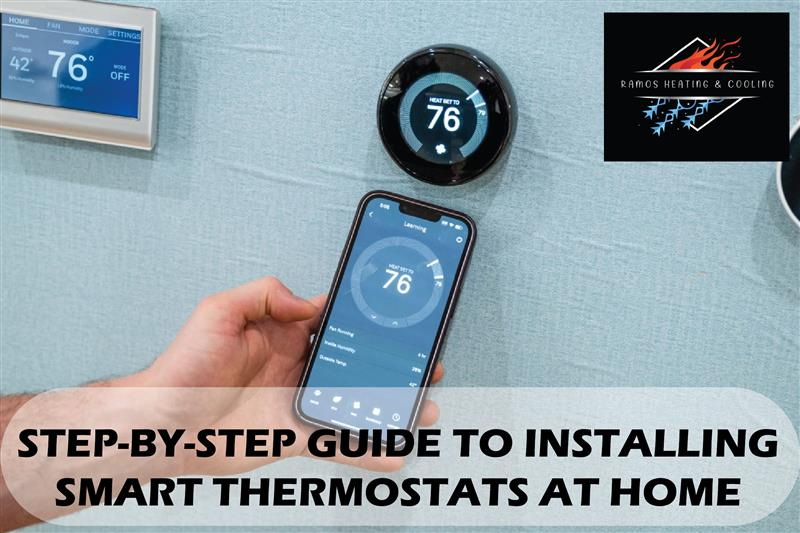
Smart thermostats are game-changers for energy efficiency, comfort, and convenience. Whether you’re tired of manually adjusting the temperature or looking to cut down on your utility bills, installing a smart thermostat can make a noticeable difference. These devices learn your habits, optimize your heating and cooling schedules, and let you control your home’s temperature remotely using your smartphone or voice assistants like Alexa or Google Home.
While it might sound technical, smart thermostat installation is easier than most people think. With a bit of patience and the right tools, you can handle a DIY thermostat installation without calling in the pros, though having experts like Ramos Heating and Cooling on standby never hurts. Let’s dive into a detailed step-by-step guide to make the process smooth and hassle-free.
1. Understand Why a Smart Thermostat Is Worth It
Before diving into the nuts and bolts of WiFi thermostat installation, let’s talk about why upgrading is so valuable. Smart thermostats do much more than regulate temperature, they learn your daily patterns, adjust automatically, and even detect when you’re away to save energy.
Plus, features like programmable thermostat installation let you set specific temperature schedules for each day of the week. This means no more waking up to a freezing house or coming home to a sauna. The investment quickly pays off in energy savings and comfort.
2. Perform a Thermostat Compatibility Check
Not every thermostat works with every HVAC system. A thermostat compatibility check ensures your new smart device will work seamlessly with your heating and cooling setup. Most smart thermostat brands, such as Nest and Ecobee, offer compatibility tools on their websites.
If you have a traditional HVAC setup, you’re likely good to go. However, older systems or those lacking a “C” wire may need a thermostat wiring installation update. If that sounds confusing, no worries, it’s a simple process you can handle or leave to HVAC experts like Ramos Heating and Cooling for a quick upgrade.
3. Gather Your Tools and Materials
Before starting your smart thermostat setup, make sure you have everything ready. You’ll typically need:
- Screwdrivers (Phillips and flat-head).
- Level tool.
- Drill (if required).
- Smartphone for app setup.
- Labels or tape for marking wires.
These basic tools will help you avoid unnecessary frustration later. Most smart thermostats even come with a handy installation guide and mounting hardware.
4. Power Off Your HVAC System
Safety first! Always turn off the power to your HVAC system before touching any wires. You can do this from your home’s circuit breaker or the system’s power switch.
This is one of the most overlooked steps in DIY thermostat installation, yet it’s crucial. Working on live wires can cause system damage or injury. Once you’re sure the power is off, move on confidently to the next step.
5. Remove the Old Thermostat
Carefully take off your old thermostat’s faceplate and examine the wiring. Label each wire with tape or stickers (usually included in your new thermostat kit). This step ensures that your thermostat wiring installation goes smoothly when connecting to your new device.
Unscrew the old base and gently pull out the wires. Don’t let them slip back into the wall, tape them in place if necessary. A little organization here goes a long way toward a successful HVAC thermostat installation later.
6. Mount and Connect Your New Smart Thermostat
Now comes the fun part, smart thermostat installation! Align your new thermostat based on the wall using the level tool. Drill holes if needed, insert wall anchors, and screw it securely in place.
Next, connect each labeled wire to the correct terminal on your new thermostat. Follow the manufacturer’s color-coded diagram for guidance. Most Nest thermostat installations and similar models make this process user-friendly with spring-loaded terminals that easily secure each wire.
Once everything’s connected, attach the thermostat faceplate to the base until it clicks into place.
7. Restore Power and Complete Smart Thermostat Setup
After the device is mounted, restore power to your HVAC system. Your thermostat should light up and guide you through the smart thermostat setup process. Follow on-screen instructions or app prompts to connect it to your WiFi network.
During this step, you’ll customize your heating and cooling preferences, link your thermostat to your smartphone, and integrate it with smart home platforms. Whether you’re doing a wireless thermostat installation or a programmable thermostat, the setup is usually straightforward and user-friendly.
8. Test and Optimize Your System
Once your thermostat is connected, it’s time to test it. Adjust the temperature settings to ensure your HVAC system responds correctly. If everything works smoothly, congratulations, you’ve completed your DIY thermostat installation!
For best performance, explore additional features such as geofencing, learning schedules, and energy reports. You can also consult professional technicians at Ramos Heating and Cooling to fine-tune your HVAC thermostat installation for maximum efficiency.
9. When to Call the Professionals
If you encounter issues during installation—such as missing “C” wires, inconsistent temperature readings, or WiFi connection problems—it’s best to call a licensed HVAC technician.
Professional installers can ensure that your Nest thermostat installation or any other smart device is wired correctly and performing safely. Plus, they can help you integrate the thermostat with your existing smart home systems for a seamless experience.
Final Thoughts
Installing a smart thermostat at home doesn’t have to be intimidating. With proper planning and attention to detail, you can easily complete a WiFi thermostat installation yourself. The key is ensuring compatibility, labeling your wires, and following each step carefully.
Once set up, your new thermostat will make managing your indoor climate effortless while reducing energy costs. However, if you’d prefer a stress-free installation, don’t hesitate to reach out to the experts at Ramos Heating and Cooling. They’ll handle everything, from wiring to setup, so you can enjoy the comfort of your smart home without lifting a finger.
Frequently Asked Questions
1. How long does smart thermostat installation take?
Usually, installation takes about 30–60 minutes, depending on your HVAC system and wiring setup.
2. Do I need a professional for thermostat wiring installation?
Not always. Many homeowners handle it themselves, but calling a pro ensures correct and safe wiring.
3. Can I use a smart thermostat with an old HVAC system?
Yes, but it’s essential to check thermostat compatibility first. Some older systems may need a C-wire adapter.
4. Will a smart thermostat really save energy?
Absolutely. Smart thermostats learn your schedule and automatically adjust to save energy without sacrificing comfort.
5. What’s the difference between WiFi thermostat installation and programmable thermostat installation?
Programmable thermostats follow set schedules, while WiFi thermostats allow remote control and innovative learning features.